Image File Formats And Their Impact On SEO: The Comprehensive Guide for 2024
For business owners, marketing teams, or anyone managing digital projects, image optimization is an often-overlooked force multiplier for site performance and search rankings. The choice of image file format is critical: the wrong type can slow your website, hurt your SEO, and lead to missed conversions.
In this guide, you’ll learn how image file formats and their impact on SEO can drive real business outcomes. We’ll demystify the technical jargon, explain what each format means for your site’s speed and user experience, and clarify the best practices that support sustainable, measurable growth. Whether you’re optimizing an existing website or planning a new campaign, Boxmark Digital brings you a clear roadmap to mastering this essential SEO foundation.
Strategic Context: Why Image File Formats Matter for ROI
Why This Topic Matters for the Business
Images tell your brand’s story and anchor your digital presence. But if images are too large or in a suboptimal format, your website suffers slow load times, poor user experience, and lower Google rankings. For businesses in the United States—where competition for attention online is intense—the right image strategy can mean the difference between ranking well and getting lost in the clutter.
Typical Problems This Solves
- Slow-loading pages that increase bounce rates
- Lower search rankings due to poor page speed
- Subpar mobile experiences, costing conversions
- Bloated image galleries driving up bandwidth costs
- Inconsistent brand visuals across devices and screens
Explore how SEO marketing impacts growth and why technical details like images matter.
Key Concepts You Must Understand
Basic Definitions
- File Format: The standard that defines how an image is stored, compressed, and displayed (e.g., JPEG, PNG, WebP, SVG).
- Lossy Compression: A method that reduces file size by removing some data (sometimes at the expense of image quality). JPEG is a well-known lossy format.
- Lossless Compression: Compresses image data without losing information. PNG and SVG are common examples.
- Responsive Images: Images that automatically adapt to different screen sizes and resolutions.
Differences vs. Other Approaches/Channels
- Unlike video formats, image file formats are lighter and can be optimized for quicker display.
- Optimizing images is distinct from general site speed improvements, focusing specifically on visual assets.
- Correct image formats support both local SEO and global SEO goals.
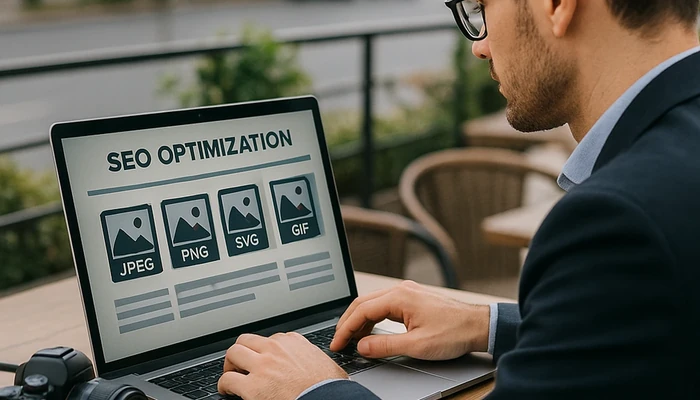
| Format | Compression | Transparency | Animation | Best Use Case |
|---|---|---|---|---|
| JPEG | Lossy | No | No | Photos, large images |
| PNG | Lossless | Yes | No | Logos, icons, graphics with transparency |
| WebP | Lossy/Lossless | Yes | Yes | Modern browsers, best balance for speed and quality |
| SVG | Vector (no quality loss) | Yes | Yes | Icons, logos, simple illustrations |
| GIF | Lossless/Limited color | Yes | Yes | Simple animations |
Common Mistakes and Bad Practices In Image Optimization
Mistake 1: Using Only One Image Format for All Content
Relying exclusively on JPEG or PNG can hinder your site’s flexibility and speed. For example, logos and icons are best as SVGs, while product photos benefit from modern lossy compression like WebP.
Mistake 2: Ignoring File Size and Compression Settings
Uploading uncompressed or high-resolution images straight from a camera can bog down your site. Always compress and resize images for the web’s real-world use cases.
Mistake 3: No Alt Text or Meaningful File Names
Lack of descriptive alt text and filenames not only harms accessibility but also blocks your images from contributing to SEO and Google’s image search.
- Omitting alt text (harmful for both SEO and users with disabilities)
- Leaving defaults like “IMG_1234.jpg” as image names
- Using images with irrelevant or low-contrast color palettes
Best Practices and Recommended Framework
Step 1: Choose the Optimal Format for Each Image Type
- JPEG/JPG: For photographs and complex visuals where small file size is necessary.
- PNG: For images needing transparency or sharp, high-quality graphics elements.
- SVG: For scalable graphics, logos, and interface icons.
- WebP: For best browser performance if compatibility allows.
Step 2: Compress and Resize Images Without Losing Clarity
- Use image tools to reduce file size before uploading (e.g., TinyPNG, Squoosh).
- Don’t exceed the maximum display dimensions needed in layout.
- Leverage technical SEO guidance from reputable sources for image optimization strategies.
Step 3: Ensure Images Are SEO-Ready
- Use descriptive, hyphenated file names (e.g., “blue-widget-product.jpg”).
- Add meaningful alt text focused on the image context and relevant keywords.
- Implement responsive attributes like
srcsetfor mobile compatibility. - Where possible, serve images through a content delivery network (CDN).
- Regularly audit your website for large or outdated images using SEO tools.
For a more comprehensive guide, see Mozilla’s documentation on web image techniques.
Metrics and Measurement: Tracking the ROI of Image Optimization
Key KPIs
- Page Load Time: The primary metric impacted by image optimization.
- Largest Contentful Paint (LCP): Crucial Core Web Vitals metric directly affected by images.
- Bounce Rate: Monitor changes as you improve load speed.
- Organic Traffic and Ranking for Images: Track search visibility improvements in Google Search Console.
- Conversion Rate: Faster, clearer visuals typically increase conversions.
How to Interpret Results
- If page load time drops below 2 seconds, expect improved bounce rate and longer sessions.
- Better LCP scores correlate with improved mobile and desktop rankings.
- Growth in image search impressions often indicates your alt text and filenames are effective.
- Measure both technical and business KPIs for a holistic view.
Read more about how to measure SEO ROI and link optimization practices at Boxmark Digital.
Data-Driven Decisions
- Run A/B tests when implementing new image strategies.
- Use tools like Google PageSpeed Insights to monitor improvements and discover lingering bottlenecks.
- Schedule monthly audits—review formats, compression, and metadata proactively.
- If you see divergent outcomes by device type, review your responsive image setup and format usage.
Frequently Asked Questions (FAQ) About Image File Formats and SEO
What file format is best for web images?
It depends on your needs. JPEG suits photos, PNG is better for transparency and graphics, WebP offers high performance if supported, and SVG covers vector graphics like logos.
Does using WebP improve SEO?
Yes, WebP’s smaller file sizes generally lead to faster page loads – a positive SEO signal. However, not all browsers support WebP, so using srcset fallbacks is important for compatibility.
Can image optimization affect conversion rates?
Absolutely. Faster loading images improve user experience, reduce abandonment, and support conversion-focused web design.
How do I ensure my images are mobile-optimized?
Use responsive images with proper size attributes, compress files for bandwidth, and test your site on popular mobile devices.
Should alt text include keywords?
Yes, but always prioritize describing the image’s actual content naturally. Keyword stuffing in alt text can be seen as manipulative by search engines.
How often should I audit my website’s images?
Quarterly audits are recommended. Each time you redesign your site, migrate, or add lots of new content, re-check your image optimization.
What tools can I use for image SEO?
Tools like Google PageSpeed Insights, Screaming Frog SEO Spider, and Squoosh help analyze, optimize, and automate key image SEO tasks.
Does Google index SVG files?
Yes, Google indexes SVGs. Ensure your SVGs are not blocked by robots.txt and that they contain descriptive titles or metadata for accessibility.
Can image carousels harm SEO?
If not implemented properly (e.g., lazy loading, proper alt text), carousels can slow page speed or hide important images from search engines. Use them sparingly and test performance closely.
What is Core Web Vitals and why does it matter?
Core Web Vitals are user experience metrics, including load performance and interactivity, directly influenced by how you handle images. Optimizing formats supports these signals for SEO.
Wrap-Up and Next Steps: Building a Future-Proof Image SEO Strategy
Choosing the right image file formats isn’t a minor technical detail—it’s a high-impact lever for closing the gap between traffic and conversions. The most successful businesses in the United States prioritize holistic digital strategies: format selection, compression, metadata, and ongoing tracking.
- Audit your website’s images—identifying potential speed gains and missed SEO opportunities.
- Formulate clear guidelines for your marketing and web design teams.
- Invest in continual learning—SEO and web standards evolve rapidly.
Ready to take your website to the next level? Request a SEO audit today or talk to the team at Boxmark Digital for personalized strategy support.
About Boxmark Digital
Boxmark Digital is a US-based digital marketing agency supporting businesses across the United States and beyond. Our expertise spans SEO, web design, mobile app development, and results-driven marketing campaigns. With years of experience and a passion for measurable outcomes, Boxmark Digital empowers companies to attract clients, increase leads, and grow through data-informed strategy and transparent reporting.
Moz, 15 seconds to update information from visual experiences, digital marketing agencies chicago, chicago local seo service, local seo services chicago il, organic seo services Dallas, affordable seo services San Diego, Los Angeles best local seo services, seo consultant Jacksonville, Miami local seo services